Free Template · from the makers of NominalQC, QC software for small manufacturers
Free CAPA log template for Excel
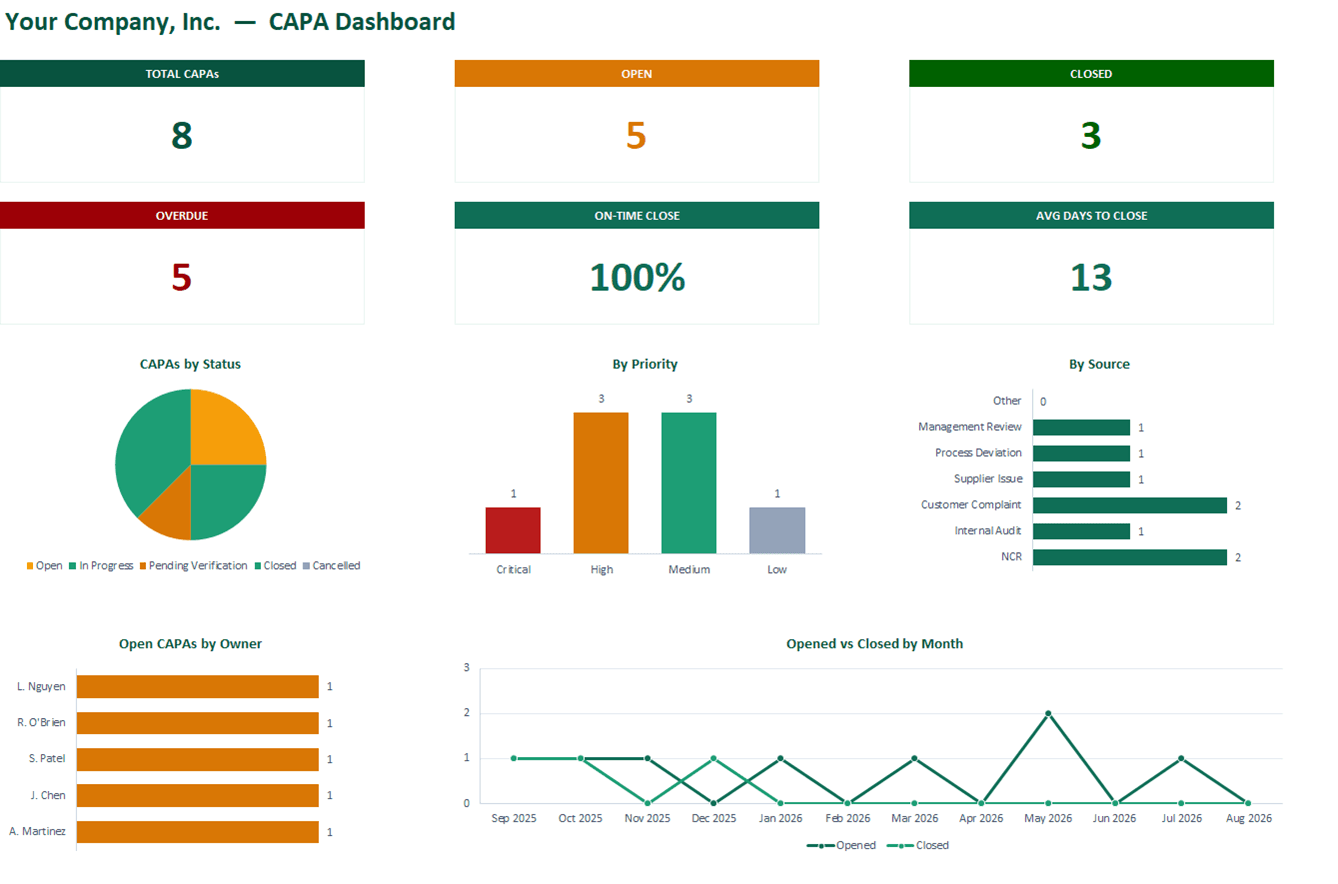
A corrective & preventive action tracker that runs itself: type a title and the CAPA ID, days-open counter, and OVERDUE flag fill in automatically, while a live dashboard tracks on-time close rate. 100% macro-free — no "Enable Content" prompt.
Related: 8D problem-solving report · 5-Why & fishbone worksheet · NCR log template
Free Excel template — no email, no signup.
This log, without the spreadsheet
NominalQC won’t let a CAPA close without a root cause, actions, and a verified effectiveness check — and it prints a customer-ready 8D report from the same record.
Try the live demoOpens on the real app with seeded data · no signup, no email · read-only · free for one user when you’re ready.
Prefer it in your inbox, with two short notes on using it?

What’s in the download
- 200-row CAPA log with auto-numbered IDs (CAPA-0001, CAPA-0002 …) — just type a title to start a row
- Root cause, corrective action, preventive action, and verification / effectiveness columns — the fields an auditor asks about
- Dropdowns for source (NCR, audit, complaint, supplier…), department, owner, priority, risk, and status — all editable on the CONFIG sheet
- Automatic Days Open counter and OVERDUE flag, color-coded status and priority
- Live dashboard: Total / Open / Closed / Overdue cards, on-time close rate, average days-to-close
- Status, priority, source, owner, and monthly Opened-vs-Closed charts
- 100% macro-free — works in Excel 2010+ on Windows and Mac, no security prompts
You get the workbook (.xlsx) — its Instructions sheet is the quick-start. Sample data is included so you can see it working — delete it and the formulas refill on their own.
Where this spreadsheet breaks
A CAPA log keeps score. It doesn’t make corrective action actually happen — and that gap is where audit findings come from:
1.CAPAs close without evidence
The spreadsheet accepts "Closed" whether or not anyone verified the fix worked. Six months later the same problem is back and the log says everything was handled.
NominalQC refuses to close a CAPA without a root cause, corrective action, and a completed effectiveness check on record — then stamps the verifier’s name and timestamp automatically.
2.Root cause is a text box
A blank cell labeled "Root Cause" produces "operator error" every time. There’s no method on record, and no path from a weak answer to a better one.
NominalQC has guided 8D and 5-Why worksheets whose conclusions promote into the CAPA’s official root cause and corrective action in one click — with the methodology on record.
3.The customer wants an 8D, not a spreadsheet row
When a customer demands a formal response, you’re rebuilding the story in Word at 9 PM — signatures, D1–D8, the lot.
NominalQC prints a customer-submittable 8D Response Report under your own logo — D1–D8 sections, embedded 5-Why and fishbone tables, signature lines, and the originating NCR cited.
Who built this
I spent 16 years in manufacturing quality — machining, fabrication, assembly — and in every shop I ended up building the same Excel tools with macros because the software budget went elsewhere. These workbooks are the ones I kept rebuilding. Eventually I stopped rebuilding spreadsheets and built NominalQC instead — but the spreadsheet is still the right starting point for a lot of shops, so here they are, cleaned up and free.
Questions
Is it really free?
Yes. Click Download and the full workbook is yours — no email, no signup, no card. If you would rather have it sent to your inbox, there is an optional email link under the button; that path adds two short follow-up emails about running the process, then silence — unsubscribe anytime.
Does it work on Mac or older Excel?
Yes — this workbook is 100% macro-free, so there’s no "Enable Content" prompt and it works in Excel 2010 or later on Windows and Mac.
How is a CAPA different from an NCR?
An NCR records a specific nonconformance — this part, this lot, this defect — and its disposition. A CAPA addresses the underlying cause so it stops happening: root cause analysis, corrective action, and a check that the fix worked. Not every NCR needs a CAPA; repeat offenders and serious escapes do. This workbook tracks the CAPA side; the free NCR Log template covers the other.
Can I change the lists and dropdowns?
Yes — every dropdown pulls from the CONFIG sheet (your people, work centers, categories), and it’s all editable with no code involved. That’s the point: it should match your process, not ours.
More free templates
Ready to skip the spreadsheet stage?
Inspections, NCRs, CAPAs, LPAs, and gauge calibration — free for one user, team plans from $59/month flat.
Create your free account