Free Template · from the makers of NominalQC, QC software for small manufacturers
Free standard operating procedure (SOP) template for Word
The procedure structure an auditor expects — purpose, scope, definitions, responsibilities, numbered steps, records, references, revision history, approval — with the document-control fields repeating in the header and footer of every page. A complete worked example (Control of Nonconforming Product) shows how much to write, and a blank copy with guidance in every section is ready to fill.
Related: Work instruction template · Document register & revision log · NCR log template
Free Word template — no email, no signup.
This log, without the spreadsheet
When a procedure changes, NominalQC puts the change in front of the people it affects with a blocking quality alert — per-person, timestamped acknowledgments, so you see exactly who has confirmed and who is outstanding.
Try the live demoOpens on the real app with seeded data · no signup, no email · read-only · free for one user when you’re ready.
Prefer it in your inbox, with two short notes on using it?
What’s in the download
- Controlled-document header on every page — company, title, document number, revision, effective date — plus a footer with page X of Y and an “uncontrolled when printed” line
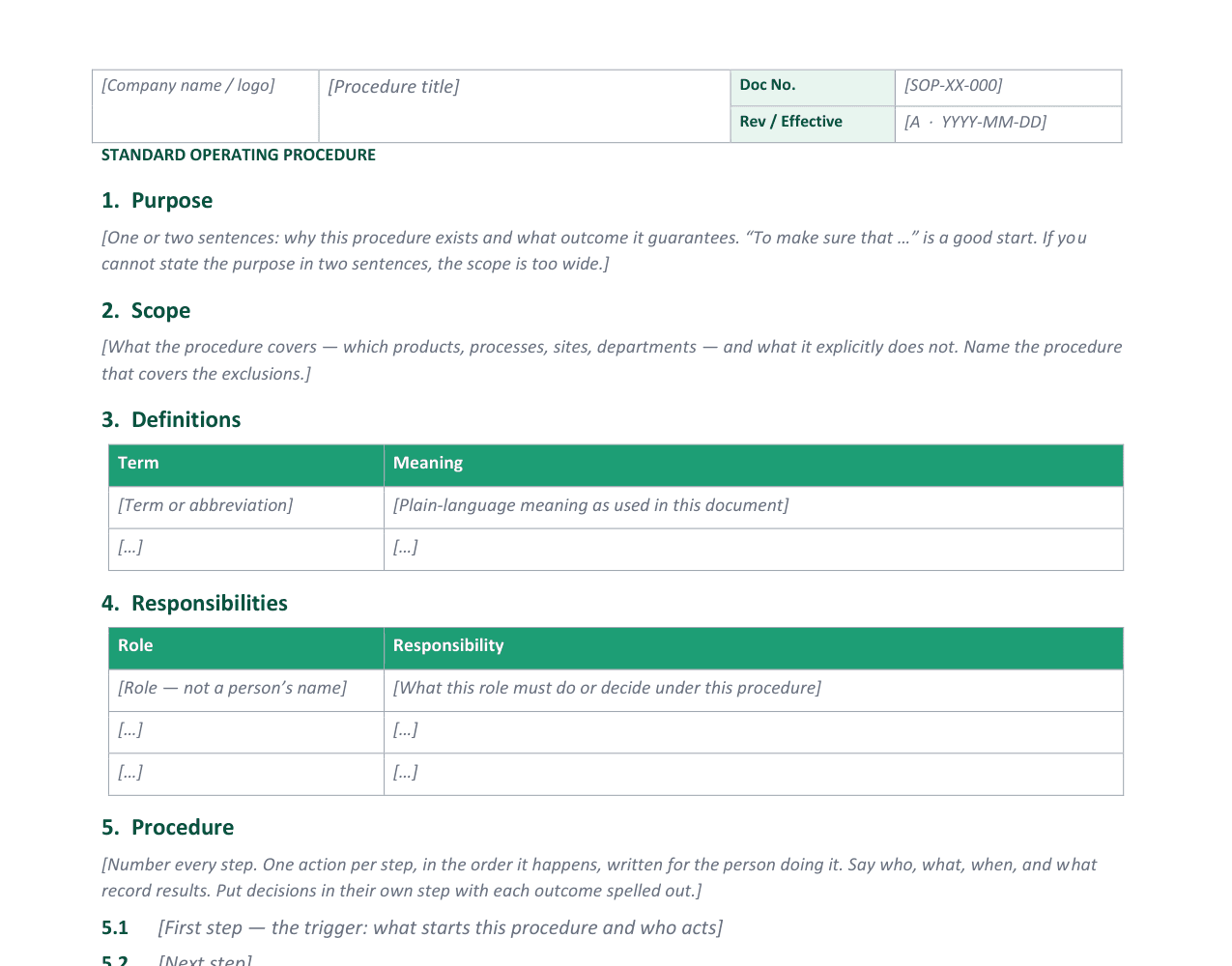
- The nine sections auditors look for: Purpose, Scope, Definitions, Responsibilities, Procedure, Records, Related documents, Revision history, Approval
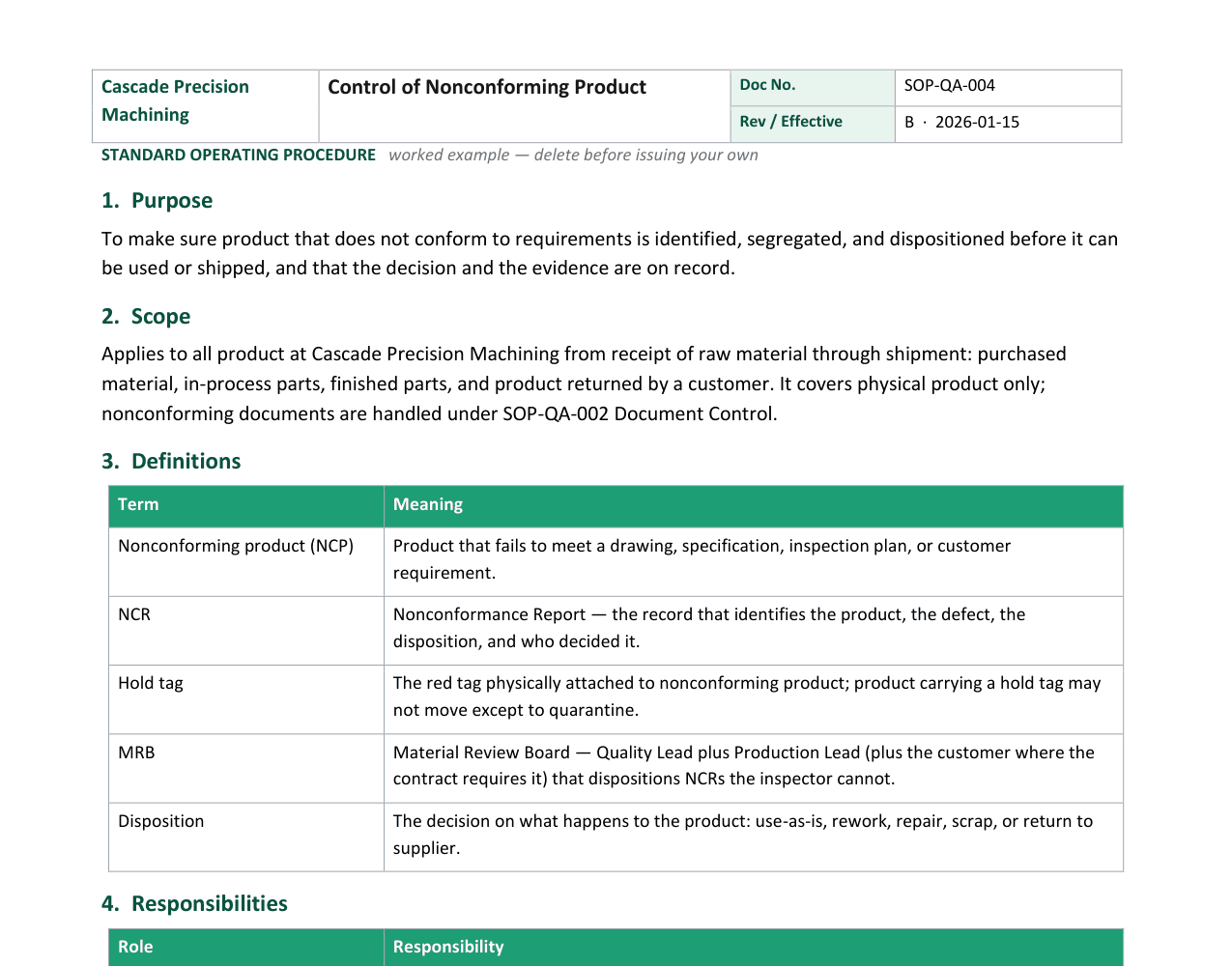
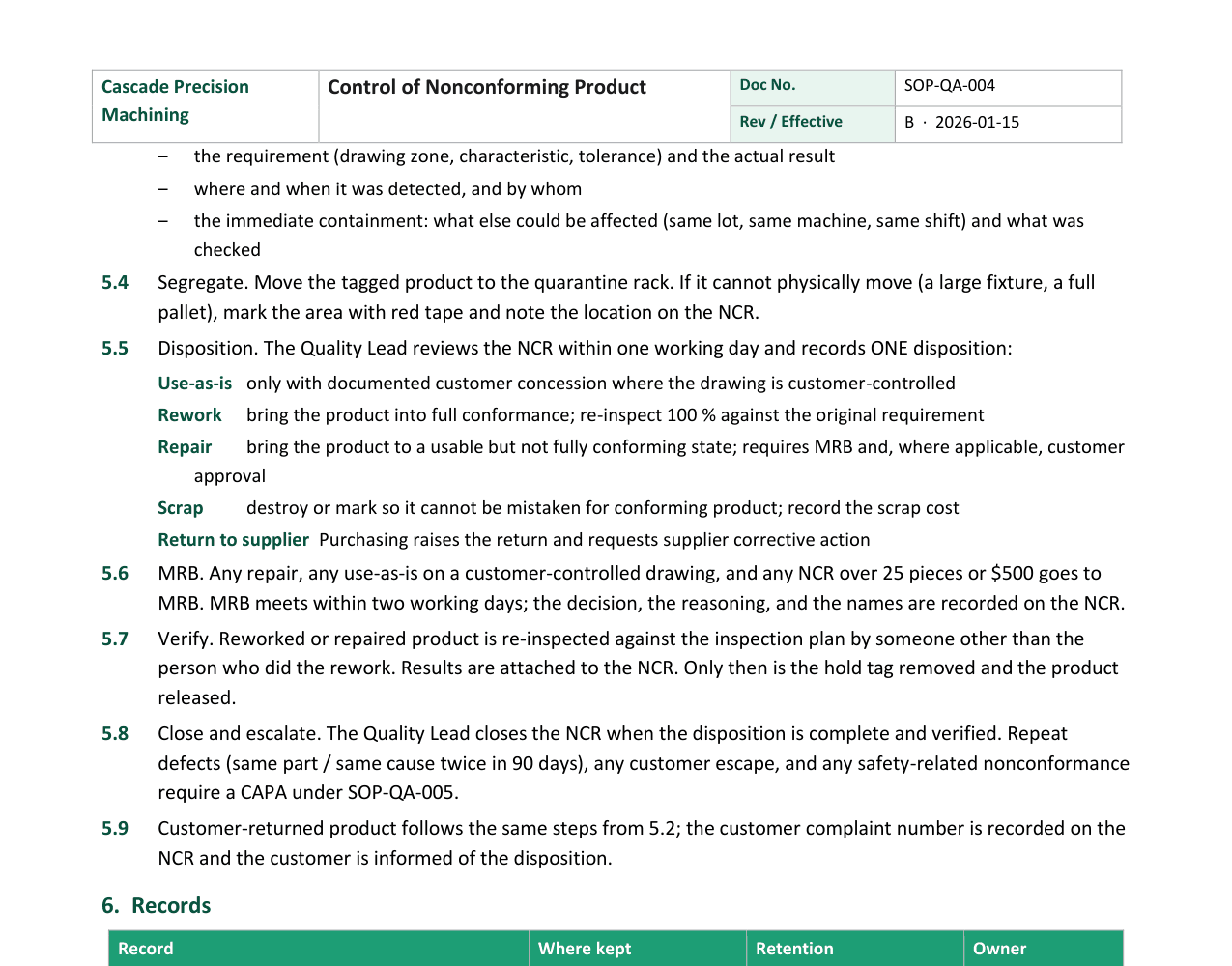
- A complete worked example — SOP-QA-004 Control of Nonconforming Product for a small machine shop — so you can see what a finished procedure reads like
- A blank procedure with grey guidance text in every section telling you what to write and how much
- Records table (record, where kept, retention, owner) and a revision history table with prepared-by / approved-by columns
- Real Word heading styles, so the Navigation pane and an automatic table of contents work
- Plain .docx — no macros, no locked fields — opens in Word 2010+, Google Docs, and LibreOffice
You get the Word document (.docx). Page 1 is the how-to; delete it and the worked example before you issue your own procedure.
Where this spreadsheet breaks
A procedure describes the right way to work. It can’t make sure the floor is working that way — and that gap is where audit findings come from:
1.The revision changed and the floor didn’t
Rev C is approved and filed. The people it affects are working from Rev B in a binder, and nothing about a Word file in the quality folder can reach them.
When a change has to reach the floor now, a NominalQC quality alert puts it in front of the inspector and blocks the next inspection on the affected part until they acknowledge it.
2.The read-and-understood sheet proves almost nothing
A signature page in a binder says somebody saw the revision. It doesn’t say the second-shift inspector did — and when the auditor picks a name, you’re flipping pages hoping.
NominalQC acknowledgments are per-person, pinned to the signed-in user with a timestamp — you see exactly who has confirmed and who is still outstanding, without chasing a clipboard.
3.The procedure says five samples; the record says two
The SOP is clear, the inspector was busy, and the form accepted whatever was typed. The document is correct and the practice is not — and only the auditor finds out.
NominalQC turns the plan into enforced inspection plans — characteristics, sample rules, and enforcement modes that decide whether a skipped check is a warning or a hard stop.
Who built this
I spent 16 years in manufacturing quality — machining, fabrication, assembly — and in every shop I ended up building the same Excel tools with macros because the software budget went elsewhere. These workbooks are the ones I kept rebuilding. Eventually I stopped rebuilding spreadsheets and built NominalQC instead — but the spreadsheet is still the right starting point for a lot of shops, so here they are, cleaned up and free.
Questions
Is it really free?
Yes. Click Download and the full workbook is yours — no email, no signup, no card. If you would rather have it sent to your inbox, there is an optional email link under the button; that path adds two short follow-up emails about running the process, then silence — unsubscribe anytime.
Does it work in Google Docs or LibreOffice?
Yes — it is a plain .docx built from ordinary tables and styles: no macros, no locked fields, no content controls. It opens in Word 2010 or later, Google Docs, LibreOffice, and Pages. Page numbers are standard fields that refresh when you open or print.
What is the difference between an SOP and a work instruction?
A procedure (SOP) describes a process across roles: who does what, in what order, and what records result — for example, how nonconforming product is identified, dispositioned, and closed out. A work instruction tells one person how to do one task at one station, step by step, with the key points and the gauges. Procedures answer “what happens and who”; work instructions answer “exactly how”. This template is the procedure; the free Work Instruction template covers the other.
Which sections does ISO 9001 actually require?
None by name — ISO 9001:2015 clause 7.5 requires that documented information be identified (title, number, revision), reviewed and approved, and controlled; it does not prescribe a section list. The nine sections here are the convention auditors are used to seeing and the one that makes a procedure easy to audit. Delete what you don’t need; keep the header fields, revision history, and approval block.
More free templates
Ready to skip the spreadsheet stage?
Inspections, NCRs, CAPAs, LPAs, and gauge calibration — free for one user, team plans from $59/month flat.
Create your free account