Getting started
Signed up to first inspection, before your coffee gets cold
No implementation project. No onboarding call. Here is the entire setup, step by step, with real screenshots — most machine shops and job shops are logging inspections in under 15 minutes.
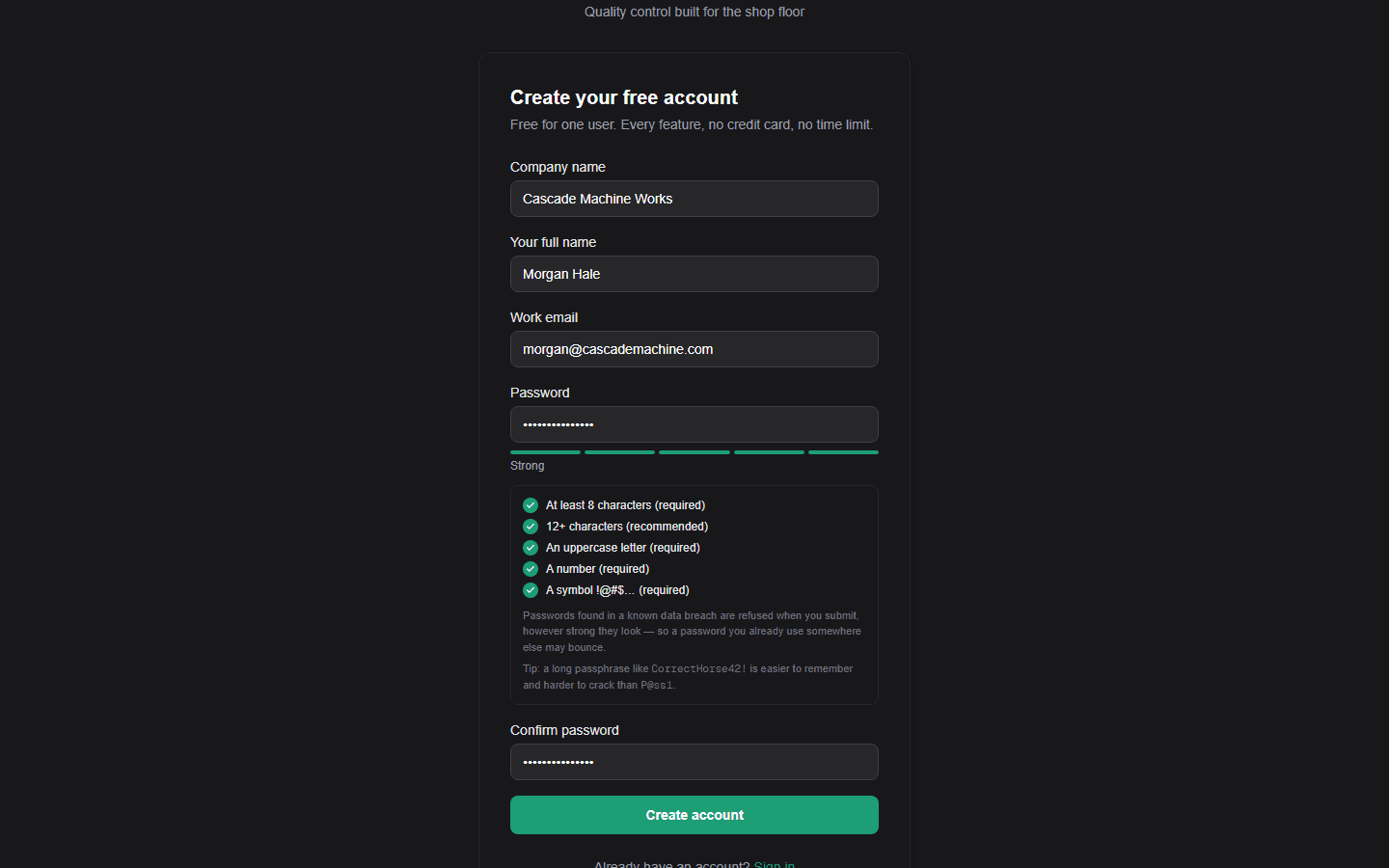
Create your account
Company name, your name, email, password. That’s the entire form — no credit card, no “book a demo,” no procurement call. Confirm your email and you’re on your dashboard.
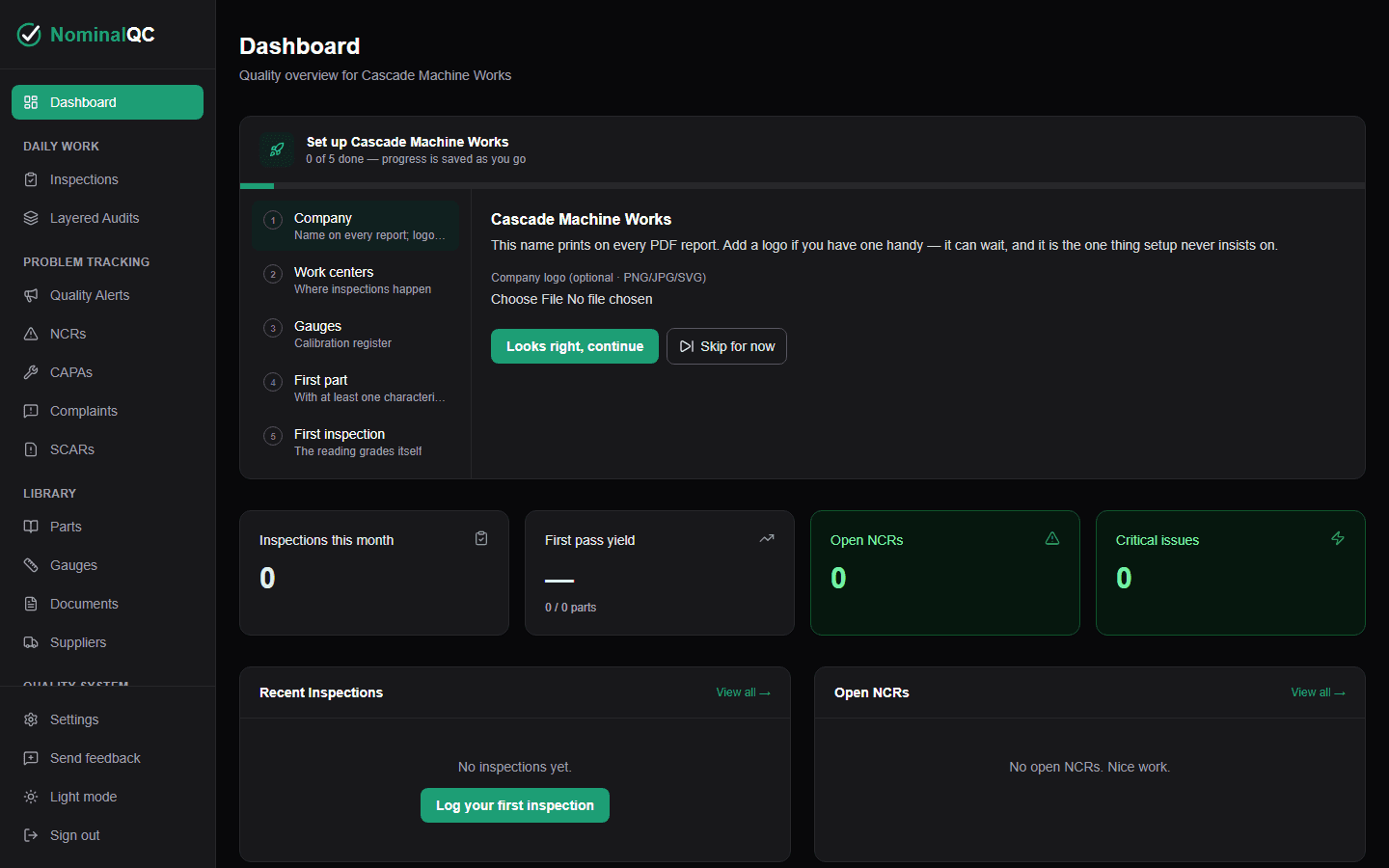
The checklist meets you at the door
Your dashboard opens with a six-item setup checklist that tracks itself as you work. Not sure yet? One click loads a sample part with inspections, charts, and an NCR so you can poke at a working system — one click removes it all.
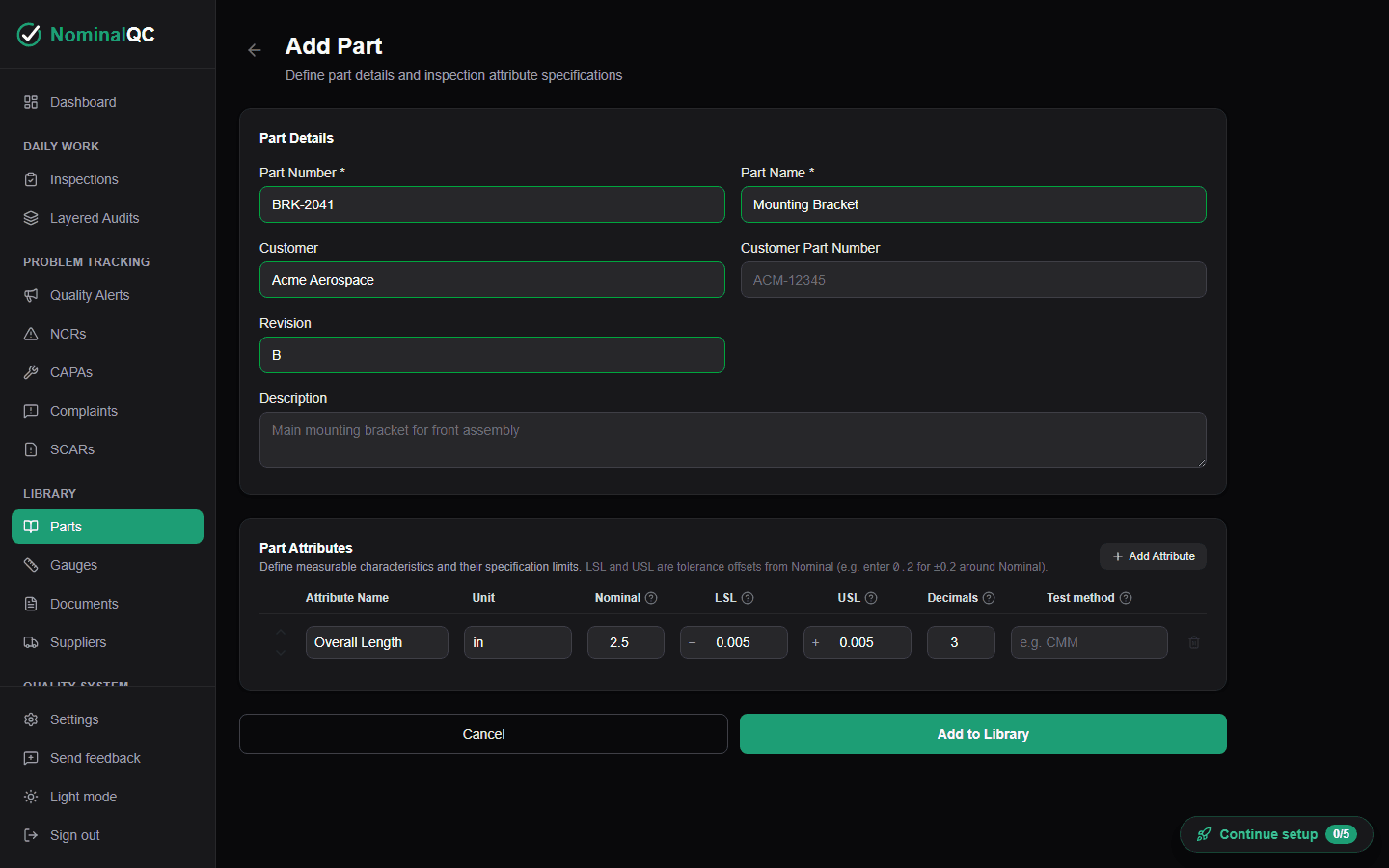
Add your first part
Part number, name, and the characteristics you actually measure — nominal, tolerance, decimal places. Enter it once; every future inspection of this part checks itself against these specs. Have hundreds of parts? Import the whole library from CSV instead.
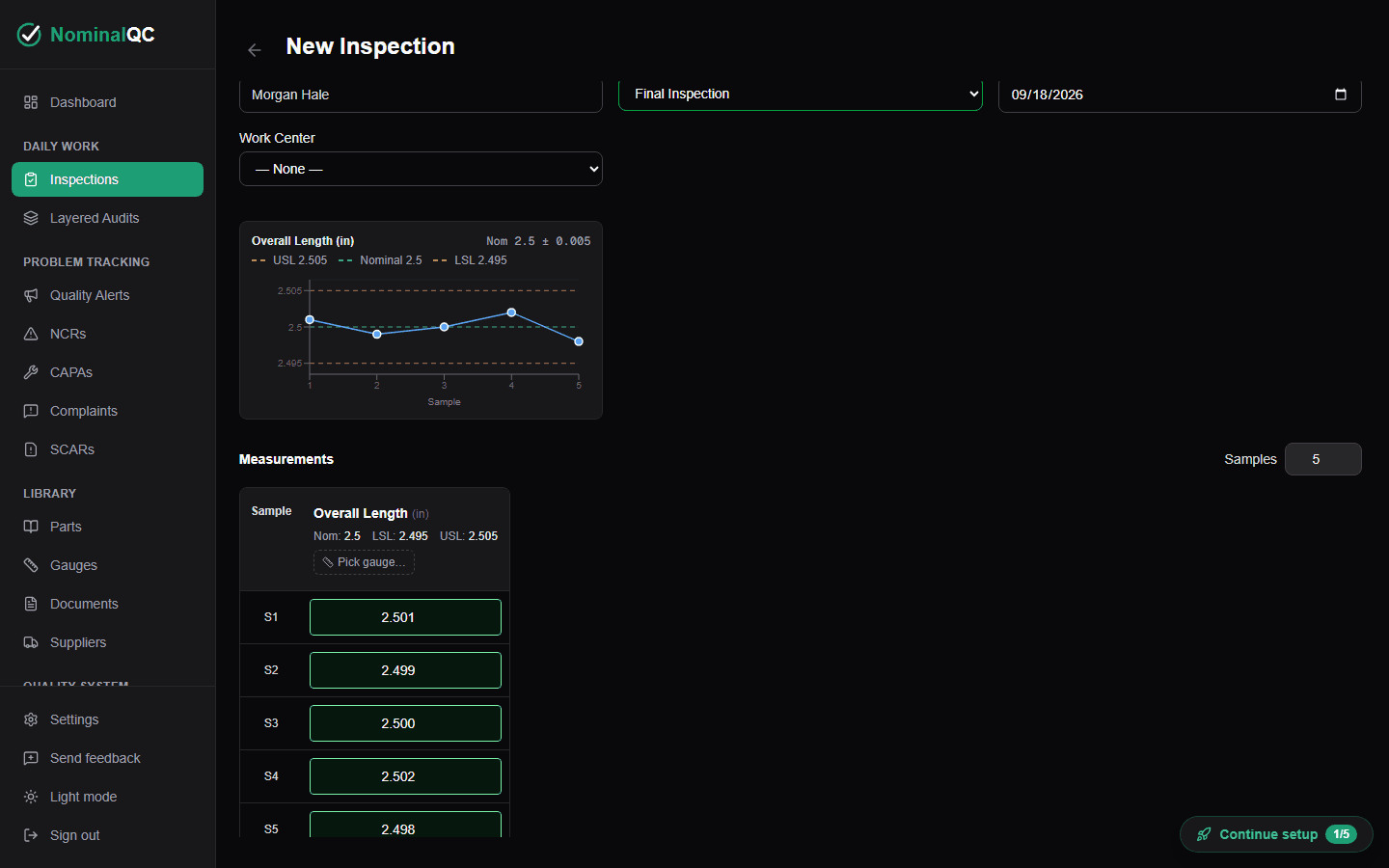
Record your first inspection
Pick the part, type the measurements. Every sample is checked against spec as you enter it — in-tolerance values go green, out-of-spec flags red, and the pass/fail result suggests itself. The inspector field is locked to whoever’s signed in, so the record shows who really measured.
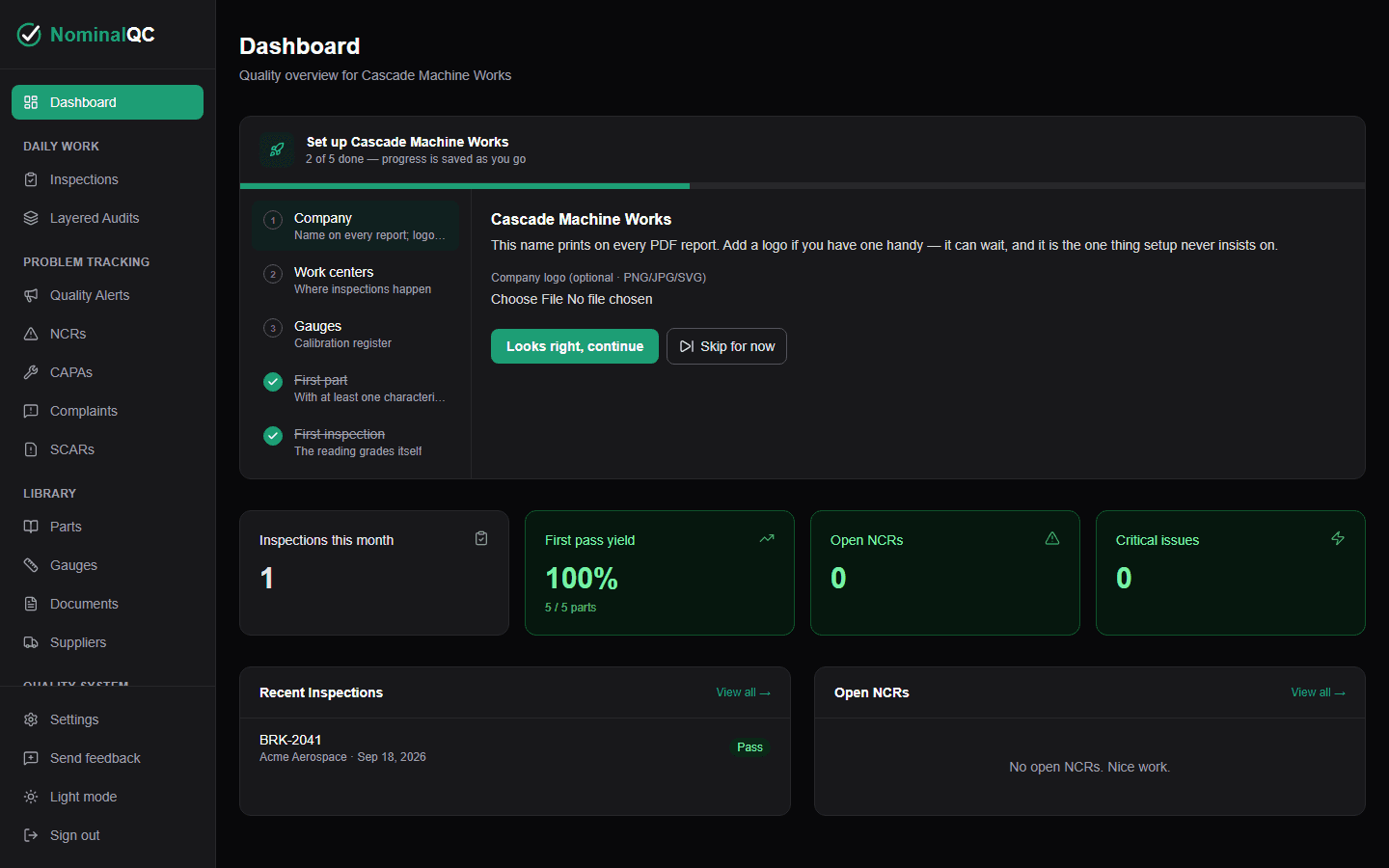
Your dashboard is alive
First-pass yield, open NCRs, recent inspections — computed from real data, not typed into a spreadsheet. From here the checklist walks you through work centers, your logo for PDF reports, and inviting your team.
When you’re ready for more
Nothing else is required on day one — the rest of the checklist waits until you are.
- Invite inspectors — everyone signs in with their own login, every record is stamped with who created it
- Set up work centers so inspections and audits organize by process
- Upload your logo — it appears on every customer-facing PDF report
- A 60-second in-app tour covers the five settings that matter on day one
- Import your gauge list and let calibration due dates track themselves
Fifteen minutes from now, this could be your dashboard
Free for one user. No credit card. Or try any paid plan free for 14 days.
Create your free account